
Don't Trash It: 10 Clever Ways to Reuse Your Old Smartphone in 2026
3 days ago
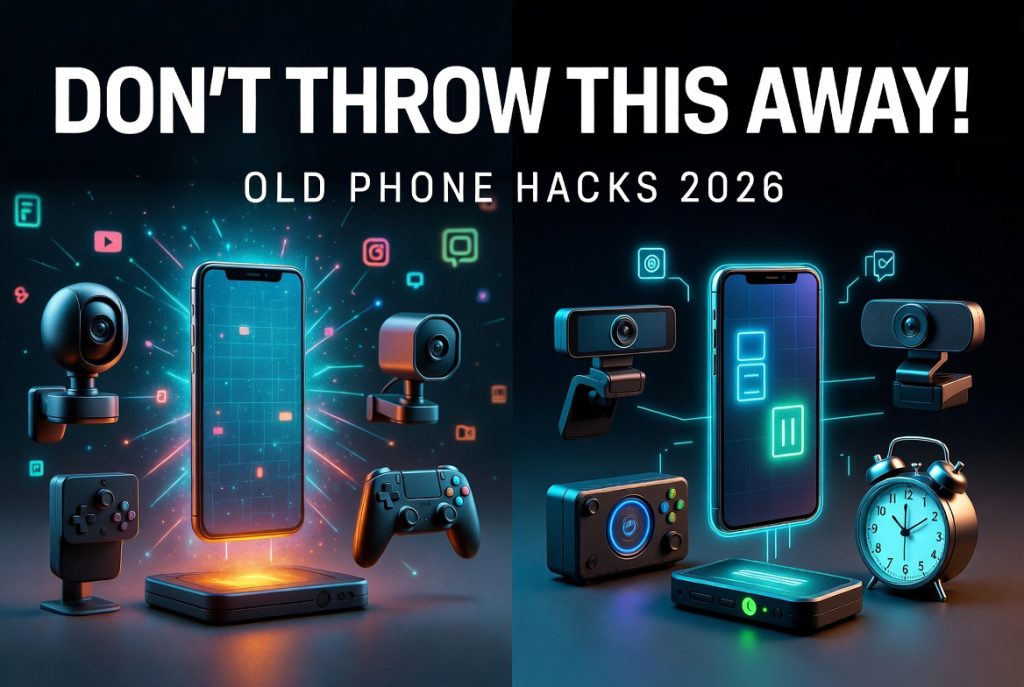
We all carry supercomputers in our pockets. Smartphones handle communication, navigation, entertainment, photography, banking, and more. But technology moves fast — newer models with better cameras, faster processors, and longer battery life are released every year.
What happens to your old phone when you upgrade? Many people let it gather dust in a drawer or, worse, throw it away. Before you recycle or discard it, consider repurposing that old smartphone. As long as it can connect to Wi-Fi, it still has plenty of useful life left.
Here are 10 smart, practical ways to reuse your old phone in 2026 — from turning it into a security camera to making it a dedicated gaming device or emergency lifeline.
1. DIY Home Security Camera
Turn your old phone into a reliable security camera with free or low-cost apps.
Recommended apps:
- AlfredCamera (free with premium upgrades)
- IP Webcam (Android)
- Manything or Presence (iOS)
How to set it up:
- Install the app on both your old phone and your current device.
- Mount the old phone in a strategic location (using a cheap suction cup mount or 3D-printed stand).
- Keep it plugged in for continuous power.
- Use your main phone to view the live feed remotely.
This setup works great for monitoring your front door, baby’s room, or backyard. Many apps even offer motion detection alerts and cloud storage.
2. Give It to the Kids (With Parental Controls)
Instead of buying a new device for your child, repurpose your old phone as their first “kid-friendly” device.
Steps:
- Factory reset the phone
- Set up a child account (Google Family Link on Android or Screen Time/Family Sharing on iOS)
- Install age-appropriate apps and games
- Enable restrictions to block inappropriate content
Kids can use it for photos, educational apps, Wi-Fi calling, and games — all without needing a cellular plan.
3. Dedicated Mobile Gaming System
Transform your old phone into a portable gaming machine.
Options:
- Download native mobile games (Genshin Impact, Call of Duty Mobile, Stardew Valley, etc.)
- Use cloud gaming services: Xbox Cloud Gaming, Amazon Luna, or Steam Link
- For console gamers: PS Remote Play or Xbox Remote Play
Since storage isn’t a concern for a secondary device, you can load it with dozens of games. Pair it with a Bluetooth controller for a console-like experience.
4. Dedicated Video Chat Device
Make video calls easier by turning your old phone into a permanent video chat station.
Best for:
- Grandparents calling grandkids
- Virtual family movie nights
- Work-from-home background calls
Install Zoom, FaceTime, Google Meet, or WhatsApp. Mount it on a stand near your TV or desk. You’ll never have to hold your main phone during long calls again.
5. Wireless Webcam for Your Computer
Need a better webcam for video calls or streaming? Your old phone can become a high-quality webcam.
Best apps:
- DroidCam (Android)
- Iriun Webcam (Android/iOS)
- Camo (iOS — excellent quality)
Connect via Wi-Fi or USB. Many apps support 1080p or even 4K video with better quality than built-in laptop webcams.
6. Bedside Alarm Clock / Smart Display
Stop using your main phone as your alarm clock — it tempts you to check notifications at night.
How to repurpose:
- Install a dedicated clock app (or use the built-in Clock app)
- Enable Always-On Display (if available) or a bright clock widget
- Place it on a charging stand next to your bed
Bonus: Use StandBy Mode on iOS or a similar always-on clock app on Android for a beautiful bedside display.
7. Backup or Universal TV Remote
Lose your streaming device remote too often? Use your old phone instead.
Supported platforms:
- Roku (official Roku app)
- Fire TV
- Apple TV
- Chromecast / Google TV
- Smart TVs from Samsung, LG, Sony, etc.
Most apps also let you use your phone’s keyboard for easier searching and typing.
8. Dedicated E-Book Reader
Don’t want to buy a dedicated e-reader? Your old phone works great.
Recommended apps:
- Amazon Kindle
- Apple Books
- Google Play Books
- Libby (for library books)
Adjust font size, enable dark mode, and enjoy thousands of books. For comics, try Webtoon, Marvel Unlimited, or DC Infinite.
9. Dedicated Media Player / Music Streaming Device
Turn your old phone into a specialized media hub.
Ideas:
- Connect to a Bluetooth speaker for music while cooking or cleaning
- Download movies and shows for offline viewing during travel
- Use as a podcast player with wireless earbuds
- Stream Spotify, Apple Music, or YouTube Music in another room
It’s like having a modern iPod again — without using your main phone’s battery.
10. Emergency 911 Phone
Even without a SIM card or active plan, most smartphones can still call emergency services (911 in the US).
Smart uses:
- Keep one in your car as a backup in case your main phone dies
- Give it to elderly relatives who don’t have a phone but might need emergency access
- Store it in a go-bag for emergencies
Important note: In the US, phones must support 4G/5G VoLTE for emergency calls after the 3G shutdown. Test it first.
Bonus Tips for Repurposing Old Phones
- Always factory reset before giving the phone a new purpose
- Keep it charged and connected to Wi-Fi
- Use a sturdy case and screen protector
- Consider battery health — old batteries may need replacement
- Update the OS as long as support is available
Final Thoughts
Your old smartphone still has tremendous value. Instead of letting it collect dust or ending up in a landfill, give it a second life with one of these practical ideas.
From home security to dedicated gaming or a bedside clock, an old phone can become surprisingly useful again.
What have you done with your old phones? Share your creative repurposing ideas in the comments!
FAQ: How to Reuse Your Old Smartphone in 2026
1. What can I do with my old smartphone instead of throwing it away?
You can repurpose it as a security camera, gaming device, webcam, media player, e-book reader, or even an emergency phone.
2. Do I need an internet connection to reuse an old phone?
Yes, most repurposing ideas like security cameras, streaming, or webcams require Wi-Fi to function properly.
3. Can an old phone still work without a SIM card?
Yes, as long as it connects to Wi-Fi, it can still be used for apps, calls over the internet, and many smart functions.
4. How do I turn my old phone into a security camera?
Install apps like AlfredCamera or IP Webcam, mount the phone in a fixed position, and access the live feed from your main device.
5. Is it safe to use an old phone as a security camera?
Yes, as long as you use trusted apps, strong passwords, and keep the device updated and secured.
6. Can I use my old phone for gaming?
Yes, you can install mobile games or use cloud gaming services like Xbox Cloud Gaming or Steam Link.
7. Can an old smartphone be used as a webcam?
Yes, apps like DroidCam, Iriun Webcam, or Camo can turn your phone into a high-quality PC webcam.
8. Do I need to factory reset my old phone before reusing it?
Yes, it is highly recommended to factory reset the device before repurposing it for a new use.
9. Can an old phone still make emergency calls?
Yes, most smartphones can call emergency services even without a SIM card, as long as they have network access.
10. What is the best use for an old smartphone in 2026?
The best use depends on your needs, but security cameras, media players, and backup devices are the most popular options.
11. Is it environmentally friendly to reuse old phones?
Yes, repurposing old smartphones reduces electronic waste and extends the device’s lifespan.
12. Can I sell my old phone instead of reusing it?
Yes, you can sell it, trade it in, or recycle it if it is no longer useful for your needs.
Leave a Reply