
How to Create a Landing Page in WordPress Quickly – Step-by-Step 2026 Guide for Beginners and Pros
1 week ago

Landing pages are one of the most powerful tools in any digital marketer’s or business owner’s arsenal. Unlike a full website with multiple pages and distractions, a well-designed landing page focuses visitors on a single goal — whether that’s signing up for a newsletter, downloading a lead magnet, purchasing a product, or registering for an event.
In 2026, creating a high-converting landing page in WordPress is faster and easier than ever. Thanks to modern themes, page builders, and plugins, you no longer need coding skills or weeks of design work. You can have a professional, responsive, conversion-optimized landing page live in just a few hours.
This comprehensive guide walks you through three proven methods to create a landing page in WordPress quickly:
- Using a dedicated WordPress landing page theme (fastest for most users)
- Using the Gutenberg block editor with no extra plugins
- Using popular page builders like Elementor or WPBakery for advanced designs
We’ll also cover essential design principles that make landing pages convert, best practices for 2026, and tips to avoid common mistakes.
Whether you’re a complete beginner launching your first offer or an experienced user looking to streamline your workflow, this tutorial will help you build effective landing pages that drive results — without spending a fortune or wasting time.
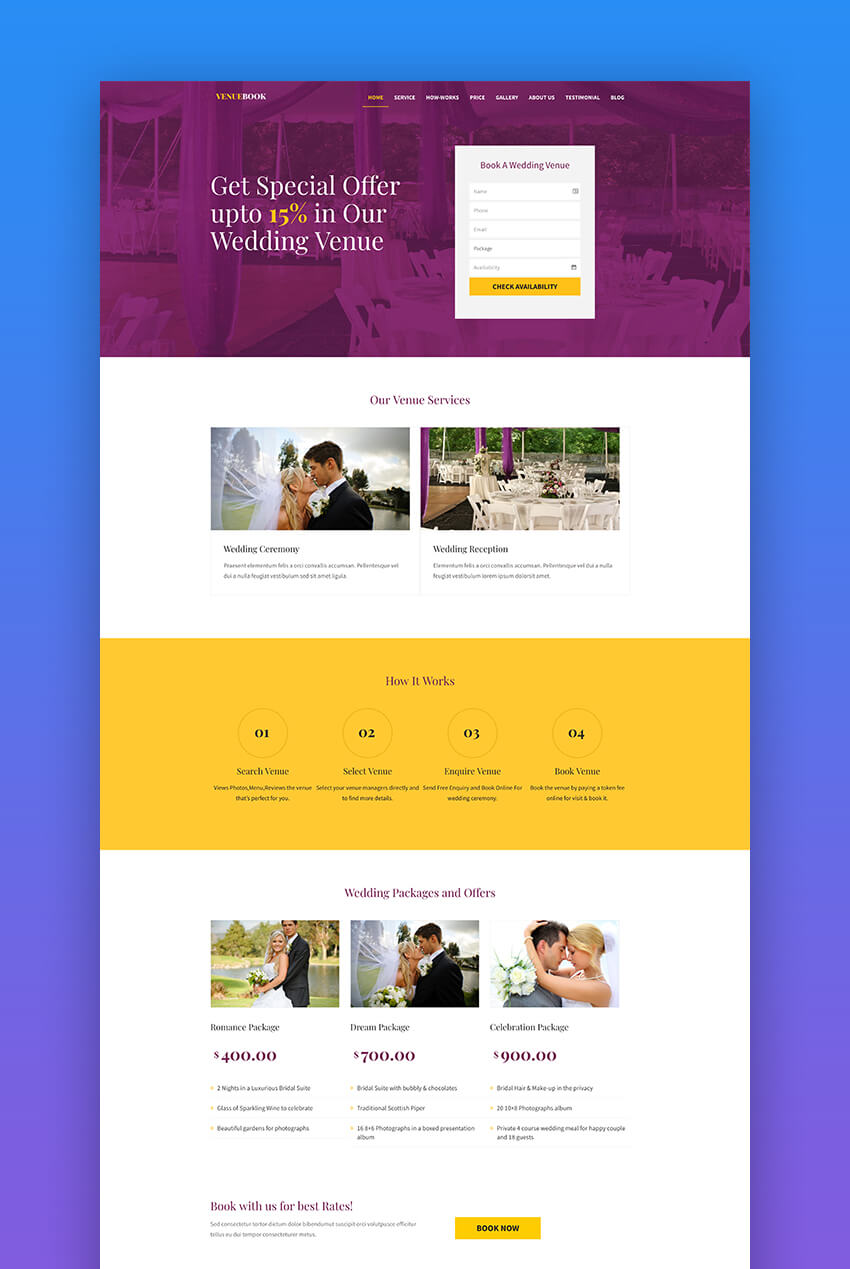
Why Landing Pages Work So Well in WordPress
The Power of Focused Experiences A good landing page removes distractions. No navigation menu, no sidebar, no links to other blog posts — just one clear message and one primary call-to-action (CTA). This focused approach dramatically increases conversion rates compared to regular website pages.
Key Benefits of WordPress Landing Pages
- No coding required with the right tools
- Fully responsive and mobile-friendly designs
- Easy integration with email marketing, analytics, and CRM tools
- Fast loading times when optimized
- Ability to test and iterate quickly with A/B testing plugins
Common Use Cases
- Lead magnet downloads (ebooks, checklists, webinars)
- Product or service sales pages
- Event registrations
- App or software launches
- Webinar or course sign-ups
What Makes a High-Converting Landing Page
- Clear, benefit-focused headline
- Compelling hero section with strong visual
- Social proof (testimonials, logos, case studies)
- Prominent, contrasting CTA button
- Minimal distractions
- Trust signals and guarantees
- Mobile-optimized layout
Create a Landing Page Using a Dedicated WordPress Theme
This is the fastest method for most users.
Step 1: Choose the Right Landing Page Theme Look for themes specifically built for landing pages or with strong one-page capabilities. Popular choices include multipurpose themes with ready-made landing page demos (many available on Envato Elements with unlimited downloads).
Step 2: Install and Activate the Theme
- Go to Appearance > Themes > Add New
- Upload the theme ZIP file or install from the repository
- Activate the theme
Step 3: Import Demo Content Most good landing page themes include one-click demo import. This brings in pre-designed sections, images, and settings so you can start with a professional layout instead of a blank page.
Step 4: Customize the Content
- Replace headlines, text, and images with your own
- Update colors, fonts, and branding to match your business
- Adjust sections (hero, benefits, testimonials, CTA, etc.)
- Use the theme’s built-in options panel or page builder for easy editing
Step 5: Optimize and Publish
- Set a clear, benefit-driven headline
- Make your CTA button prominent with contrasting color
- Add trust elements (testimonials, guarantees, logos)
- Optimize for speed and mobile
- Connect to your email service or CRM
- Publish and start driving traffic
Advantages of This Method
- Professional design out of the box
- Fast setup with demo import
- Built-in responsiveness and optimization
- Often includes additional pages and features
Create a Landing Page Using Gutenberg Block Editor (No Extra Plugins)
If you prefer to keep your site lightweight, you can build a landing page entirely with WordPress’s built-in block editor.
Step-by-Step Process
- Create a new page
- Use full-width template if available
- Build sections using blocks (Cover, Columns, Group, Buttons, etc.)
- Add hero section with background image and strong headline
- Create benefit sections with icons or images
- Add testimonials using quote or columns blocks
- Place a prominent CTA button
- Remove navigation and footer distractions if possible (using template options)
Tips for Better Results
- Use consistent spacing and alignment
- Choose bold, readable typography
- Make CTAs stand out with color contrast
- Keep content scannable with short paragraphs and bullet points
- Test on mobile devices
Pros and Cons
- No additional plugins needed
- Full control over every block
- Lighter site performance
- May require more manual design work than a dedicated theme
Create a Landing Page Using Elementor or Other Page Builders
Page builders like Elementor make advanced landing page design drag-and-drop simple.
Using Elementor (Most Popular Choice)
- Install and activate Elementor (free version is sufficient for basics)
- Create a new page and edit with Elementor
- Use ready-made templates or build from scratch
- Drag in sections: Hero, Features, Testimonials, Pricing, CTA
- Customize with Elementor’s vast widget library
- Add animations, effects, and responsive controls
- Publish and set as your landing page
Key Advantages
- Extremely flexible design control
- Hundreds of widgets and templates
- Advanced animations and interactions
- Works well with any theme
Other Strong Page Builders
- WPBakery Page Builder
- Beaver Builder
- Divi Builder
Each has its strengths — choose based on your preferred workflow and design style.
Essential Landing Page Design Tips for High Conversions in 2026
Core Principles
- Clear value proposition above the fold
- Strong, benefit-focused headline
- Compelling hero image or video
- Social proof and trust signals
- Single, prominent CTA
- Minimal distractions (remove navigation if possible)
2026 Best Practices
- Mobile-first design with fast loading
- Use of subtle animations and micro-interactions
- High-contrast CTAs that stand out
- Video testimonials and social proof
- Clear privacy and guarantee statements
- A/B testing different headlines and layouts
Common Mistakes to Avoid
- Too many competing CTAs
- Overly long pages without clear progression
- Poor mobile experience
- Missing trust elements
- Weak or generic copy
Creating a landing page in WordPress no longer requires weeks of work or expensive custom development. With the right theme, page builder, or even just the Gutenberg editor, you can have a professional, high-converting landing page live in just a few hours.
Choose the method that best fits your needs:
- Dedicated landing page theme for speed and polish
- Gutenberg for lightweight, plugin-free simplicity
- Elementor or similar builders for maximum design flexibility
Focus on clear messaging, strong visuals, trust signals, and a single compelling call-to-action. Test, measure, and iterate to continuously improve your conversion rates.
With the tools and techniques in this guide, you’re well-equipped to create landing pages that drive real results for your business in 2026 and beyond.
FAQ (Frequently Asked Questions)
1. What is a landing page in WordPress?
A landing page in WordPress is a standalone page designed with a single focus or goal, such as collecting leads, selling a product, or getting sign-ups.
2. Do I need coding skills to create a landing page in WordPress?
No, in 2026 you can easily create landing pages using themes, Gutenberg blocks, or page builders like Elementor without any coding.
3. What is the easiest way to create a WordPress landing page?
Using a dedicated landing page theme or Elementor is the fastest and easiest method for beginners.
4. Is Gutenberg good for building landing pages?
Yes, Gutenberg is lightweight and free. It works well for simple landing pages but may require more manual design work.
5. What is the best page builder for landing pages?
Elementor is one of the most popular options due to its drag-and-drop interface, templates, and flexibility.
6. What makes a landing page high-converting?
A strong headline, clear value proposition, minimal distractions, trust signals, and a single clear call-to-action (CTA).
7. Can I create a landing page without plugins?
Yes, you can use the Gutenberg editor or some themes that include built-in landing page templates.
8. Are WordPress landing pages mobile-friendly?
Yes, most modern themes and page builders automatically create responsive landing pages optimized for mobile devices.
9. How long does it take to build a landing page in WordPress?
With the right tools, you can build a basic landing page in just a few hours.
10. Do landing pages help with SEO?
Yes, landing pages can improve SEO if optimized properly with keywords, fast loading speed, and good user experience.
Leave a Reply